Shopify Volume Pricing in Every Currency: 2 for $39.90, 3 for $54.90, Without Converted Cents

Pixoo
Multi-currency discounts for Shopify
Shopify Volume Pricing in Every Currency: 2 for $39.90, 3 for $54.90, Without Converted Cents
Key takeaways
- Volume pricing ("2 for 39.90, 3 for 54.90") is a price, not an amount off. Shopify's native discounts only know amounts and percentages, so a round set price in a second currency turns into a percentage with four decimals, one discount per step and per market.
- Pixoo's product discounts now have a Volume pricing mode: you type the price of the set, per currency, and Pixoo works out the discount for each cart at checkout. Nothing is converted. A currency you did not price gets no discount rather than a converted one.
- On the product page, the lot selector shows the offer as cards ("1 item, 2 items, 3 items"), each at the exact set price in the shopper's currency, in place of the theme's quantity selector. It only shows a price the cart will honour.
- The set price is a target. Shopify's checkout engine recomputes taxes and currencies after every discount app, so a cent may still move on tax-inclusive markets. We explain where and why below.
In this guide:
- What Volume Pricing Actually Is
- Why It Breaks in a Second Currency
- How Volume Pricing Works in Pixoo
- What the Shopper Sees
- Show the Sets on the Product Page
- The Honest Part: Set Prices Are Targets
- Setting It Up in Pixoo
- FAQ
A lingerie brand selling in two countries wanted the simplest promotion there is: two pairs for one round price, three for a better one, in euros on one market and in forints on the other. In Shopify's admin that became four automatic discounts. Two of them carried a fixed amount off in euros. The other two carried percentages like 16.63% and 25.88%, because a fixed amount in euros does not land on a round number of forints, and a percentage was the only way to get "2 for 14,990 Ft" to come out right. Then the checkout showed 14,989.94.
That store is why Pixoo now has a volume pricing mode. This article explains what the mode does, what it deliberately does not do, and how to set it up.
What Volume Pricing Actually Is
"Buy 2 for $39.90" is one of the oldest promotions in retail, and it is a price, not a discount. The shopper is not told "you save $30.10", they are told what the pair costs. That framing is the whole point: a round number that reads well on a sign, in an email, on a product page.
Searches like shopify volume pricing, shopify quantity breaks and shopify buy 2 get discount are full of merchants trying to reproduce that sign in the Shopify admin. Shopify does have quantity rules, but they live in B2B catalogs, for wholesale customers, not for your storefront. On the D2C side, what you get is an automatic discount with a minimum quantity and a value: a percentage, or an amount off. To turn "2 for $39.90" into that, you compute the amount off yourself ($30.10 for a $35 item), enter it, and hope the product price never changes.
That works, in one currency, for one step. Add a second step ("3 for $54.90") and you need a second discount, with its own amount. Shopify applies the best one, which is fine. It is the next part that hurts.
Why It Breaks in a Second Currency
Now sell the same tee in euros. Your amount off was computed in dollars. Shopify Markets will convert the product price to euros, with rounding rules that produce a clean-looking price like €30.80, and then convert your $30.10 off into whatever the exchange rate gives that day. The pair no longer costs a round number in euros. It costs €30.80 times two, minus a converted amount, which is a number nobody would print on a sign.
The usual escape is the one that brand took: replace the amount with a percentage tuned to land on the round price. 16.63% of two items at 8,990 Ft gives 2,990 Ft off, and 2 for 14,990 Ft appears. Until the product price moves, or you add a third currency, or you want a third step. Each combination of step and currency is another native discount to create and to keep in sync. Four discounts for two steps and two currencies. Nine for three and three.
This is the general problem Pixoo exists for: an amount that is decided per currency, not converted. Volume pricing is the same idea applied to a price instead of an amount.
How Volume Pricing Works in Pixoo
In a Pixoo product discount, the value selector now has three choices: Percentage, Fixed Amount, and Volume pricing. Pick the third and the amount grid is replaced by a small table per currency: quantity, and the price of the set.
| USD | EUR | HUF | |
|---|---|---|---|
| 2 items | 39.90 | 36.90 | 14,990 |
| 3 items | 54.90 | 49.90 | 19,990 |
Every cell is a number you decide. Nothing is converted, so the forints are round because you typed them round. Up to five steps, the same steps in every currency, one discount for all your markets.
At checkout, Pixoo's discount function looks at the eligible items in the cart (the products or collections the discount applies to, after your other rules such as full-price-only) and forms sets:
- Any 2 for 39.90. Two items qualify whichever variants they are. A size S and a size M count together; two different products from the same collection count together.
- Repeatable. Four items are two sets of 2. Six items are two sets of 3.
- Priced the cheapest way for the buyer. With "2 for 39.90, 3 for 54.90", four items are two pairs (79.80), not a trio plus one item at full price (89.90). Adding an item never costs more than that item's price.
- Leftovers stay at full price. With a single step at 2, three items are one pair at 39.90 plus one item at its normal price, and the cart shows exactly that.
- The most expensive items form the sets first. On a collection with mixed prices, "any 2 for 30" puts the 50 and a 10 in the set, which is what the shopper reading the sign expects. A set of items that already costs less than the set price is left alone: never a surcharge.
The discount Pixoo hands to Shopify is a single amount, spread over the items in the sets. Shopify does the per-unit allocation and the rounding, the same way it does for its own discounts.
One rule is worth stating twice: a currency you did not price gets no discount. Not a converted set price, not a converted amount. If you price USD and EUR and a shopper pays in GBP, that shopper sees full price. The form lists every currency the discount targets and marks the ones without prices, so this is a decision you make, not a surprise you find.
What the Shopper Sees
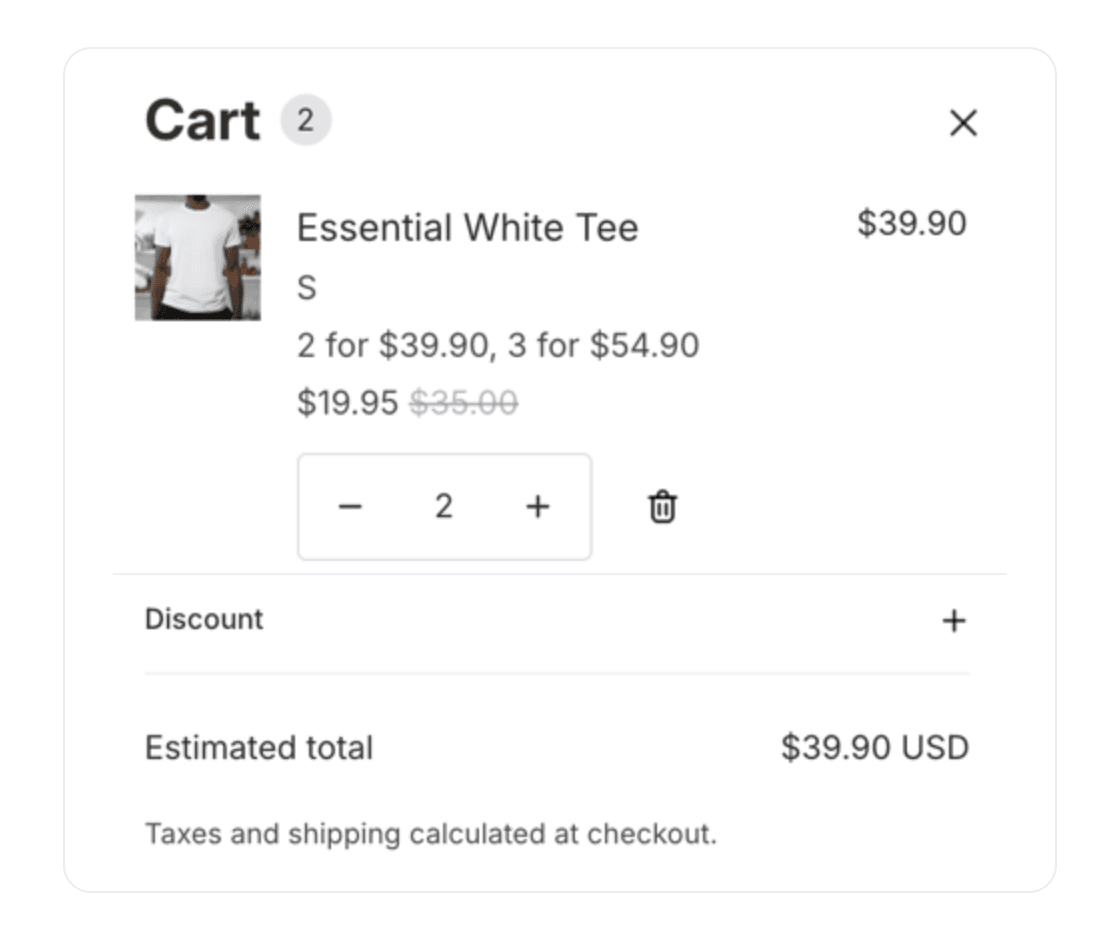
Shopify shows the result in the cart the way it shows any product discount: the discounted unit price next to the struck-through original. Two tees at $35 with "2 for $39.90" display as $19.95 each, $35.00 struck through, $39.90 on the line. When the cart mixes a trio and a pair, Shopify shows the average unit price on every unit and the line total is exact.
When only part of a line is in a set, Shopify splits the line: three tees with a single step at 2 become a line of two at $19.95 and a line of one at $35.00. The shopper can see which item did not make it into a set, and adding a fourth fixes it.
The product page used to be the missing piece: a volume price depends on how many items are in the cart, so there is no single discounted price to print next to the product price. Pixoo's discounted price display still leaves volume-priced discounts out, on purpose. The sets get their own component instead, described next.
Show the Sets on the Product Page
A set price that only appears in the cart is a promotion the shopper discovers by accident. The lot selector puts it where the decision is made: on the product page, as a short stack of cards in place of the theme's quantity selector.
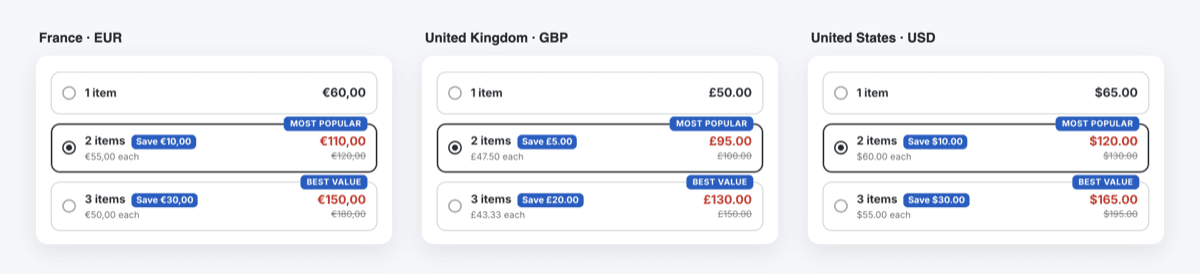
Each card is one step of your volume pricing: 1 item at the product price, then 2 items and 3 items at the set price you typed for the shopper's currency, with the saving, the price per item and the full price struck through. A French shopper sees 2 for 110 euros, a British shopper 2 for 95 pounds, an American shopper 2 for 120 dollars, because those are the three prices you entered. Nothing on the cards is converted, which is the part a generic bundle widget gets wrong: its "2 for 120" becomes a converted number in every other currency, or one offer per market to maintain.
Clicking a card sets the quantity, and Add to cart adds that many units. The cart then shows the set price, the one the card promised. A few rules keep that promise:
- The cards use the same arithmetic as the checkout. The price on each card is worked out the way the discount function will work it out in the cart, including the "cheapest way for the buyer" rule above.
- A currency without set prices gets no cards. The shopper sees your theme's normal quantity selector, never a converted lot.
- If another automatic discount already lowers the price (a seasonal sale on the same product, for example), the cards account for it when Pixoo's product page prices are on, and the selector steps aside when the sets would save nothing. Shopify applies one product discount per item, so showing a set the cart would not use would be a lie. Without the product page prices, the cart check below is what catches it.
- The cart is checked after every add. If the cart total ever disagrees with the card, the cards are hidden for the rest of the visit rather than left on screen.
You turn it on per discount, on the discount's Storefront card: a switch, the set to preselect, and optional Most popular and Best value badges. The cards need the Pixoo app embed, the same one that runs the cart progress bar and the product page prices. On most themes the cards take the place of the quantity selector on their own; for zero layout shift, add the Pixoo lot selector block to your product template, and the cards are in the page HTML before any script runs. The full walkthrough, with every setting, is in the lot selector guide.
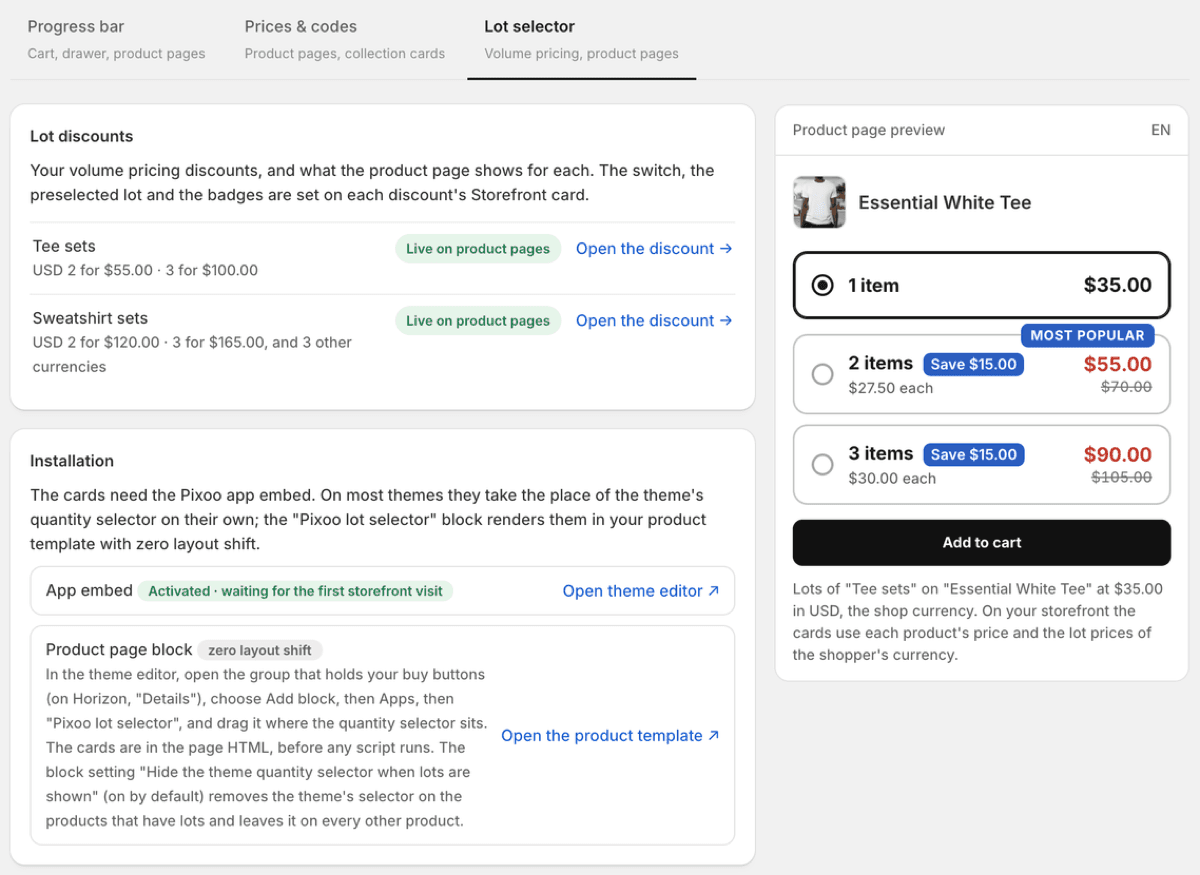
The cards' texts ("2 items", "Save 10.00", "Most popular") come in seven languages and can be rewritten per language in the Lot selector tab. Lots show on automatic volume pricing discounts; a volume price behind a code stays a cart-only offer, since the product page cannot know whether the shopper has the code.
The Honest Part: Set Prices Are Targets
That brand's original problem was 14,989.94 Ft instead of 14,990. We looked at it closely, and the answer is not one we can engineer away: the amount that leaves a discount app is not the amount the checkout prints. Shopify's checkout engine allocates the discount across units, separates the tax share on tax-inclusive markets, reconciles amounts with the store currency, and rounds to 0.01 at each step. Every app built on Shopify Functions goes through it, and Shopify's own fixed-amount discounts do too, they just hide the remainder. We wrote up the full explanation in Shopify discount rounding issue: why your fixed-amount discount may be off by a few cents.
So the set price you type is a target. On tax-exclusive markets it is what the shopper pays. On tax-inclusive markets with an awkward VAT rate, a cent or a few fillér may still move. What changes with volume pricing is that you type the final price once, per currency, and stop computing percentages with four decimals by hand.
Setting It Up in Pixoo
Volume pricing is available on every Pixoo plan, on product discounts, automatic or with a code.
1. Create or open a product discount. Amount off products, automatic if the offer should apply to everyone, code if it is for a campaign.
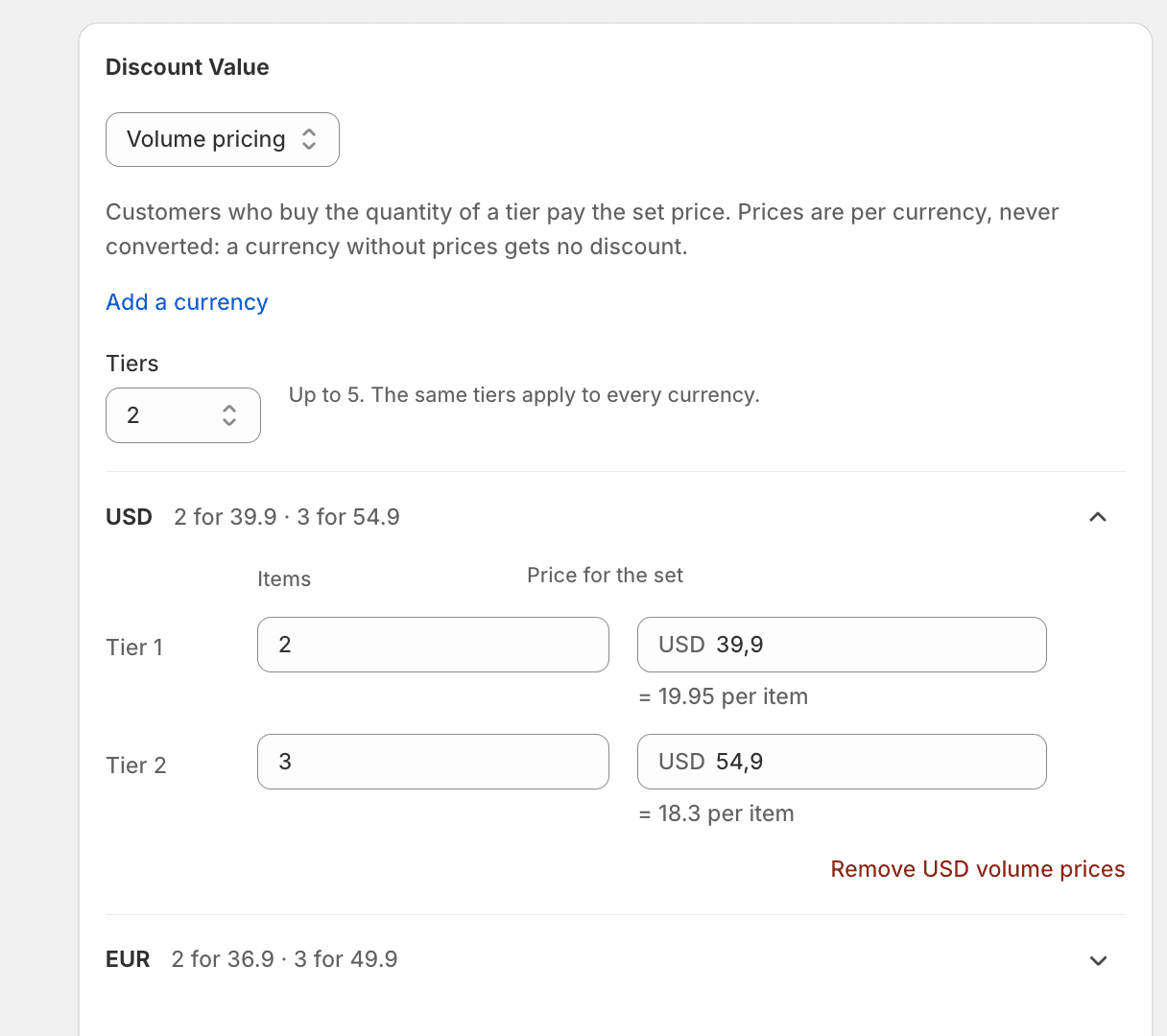
2. Set Discount Value to Volume pricing. The amount grid disappears and the tier table appears, starting with your store currency and two steps. The minimum purchase card, the "once per order" option, the maximum-items cap and automatic conversion also disappear: the steps carry all of that.
3. Fill in the steps. Quantity and price of the set, per currency. The form shows the price per item under each step so you can sanity-check the deal. Add a currency with the link above the table; the same number of steps applies to every currency.
4. Choose what it applies to. Specific products or collections, as usual. Full-price-only still applies: an item on sale neither counts toward a set nor gets the set price.
5. Show the sets on the product page. On the discount's Storefront card, turn on the lot selector, pick the set to preselect and, if you want, a badge or two. Open the product page in each currency you priced and check the cards.
6. Save and test. Put two qualifying items in the cart on your storefront and check the drawer. The discounts list summarises the offer ("Volume pricing · 2 for 39.9 USD · 3 for 54.9 USD") so you can tell at a glance which discounts are volume-priced.
If you built the offer with several native discounts, one per step and per market, Pixoo will notice and suggest replacing them on the discounts page. Keep the native ones active while you test, and deactivate them once the Pixoo discount does the job.
Frequently Asked Questions
Does Shopify have volume pricing built in?
For B2B catalogs, yes: quantity rules and price breaks per company. For your regular storefront, no. Native automatic discounts take a minimum quantity and a percentage or an amount off, one value for all currencies, which is why "2 for a round price" in several currencies needs one discount per step and per market.
Can I use volume pricing on a collection?
Yes. Every item in the collection counts toward the sets, and "any 2 for 39.90" means any two of them. It reads best on a collection where items have the same or similar prices (all tees at $35). On a collection with very different prices, the most expensive items go into the sets first, and a set that already costs less than the set price is not touched.
What happens in a currency I did not price?
No discount in that currency. Pixoo never converts a set price. The form lists every currency the discount targets and shows which ones have no prices yet.
Can I combine it with a minimum spend or a maximum number of discounted items?
Not in this mode: the steps are the minimum, and the sets are the cap. Those cards are hidden while Volume pricing is selected, and come back if you switch to Percentage or Fixed Amount.
How do I show "buy 2, save" options on a Shopify product page?
With Pixoo, turn on the lot selector on a volume pricing discount. The product page shows one card per step ("1 item", "2 items", "3 items") at the set price of the shopper's currency, in place of the quantity selector, and the card the shopper picks sets the quantity added to the cart. It works on automatic volume pricing discounts, on every plan.
Will the checkout show exactly the price I typed?
On most markets, yes. On tax-inclusive markets, Shopify's checkout engine can move the total by a cent when it separates the tax share and reconciles currencies. This affects every discount app and native discounts alike; the article linked above explains it in detail.
Back to that lingerie brand: two steps, two currencies, one discount, and the four percentages with four decimals gone. The product page says 2 for 14,990 Ft, the form says 2 for 14,990 Ft, and the cart says the same thing, give or take what the checkout engine decides about the last fillér.
Recommended Articles
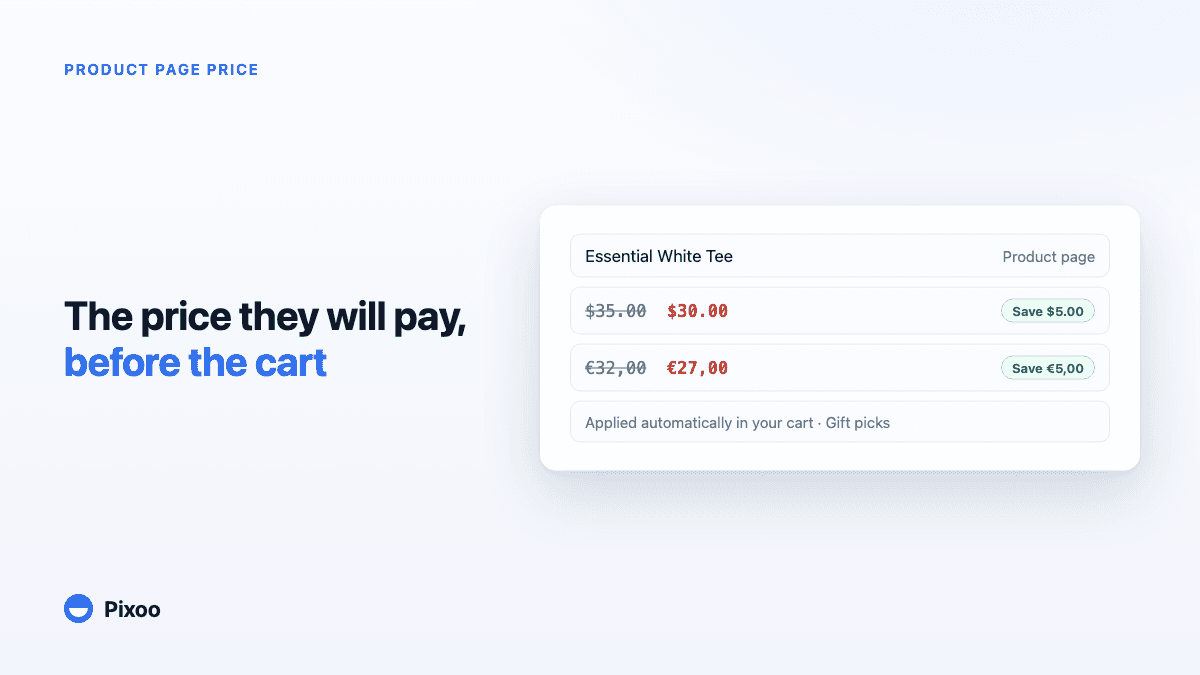
How to Show the Discounted Price on Shopify Product Pages, in Every Currency
An automatic discount on Shopify is applied in the cart, so the product page keeps showing the full price and most shoppers never learn there was a deal. Here is how to show the price they will actually pay, on the product page, in their own currency, without ever displaying a price the checkout will not honour.
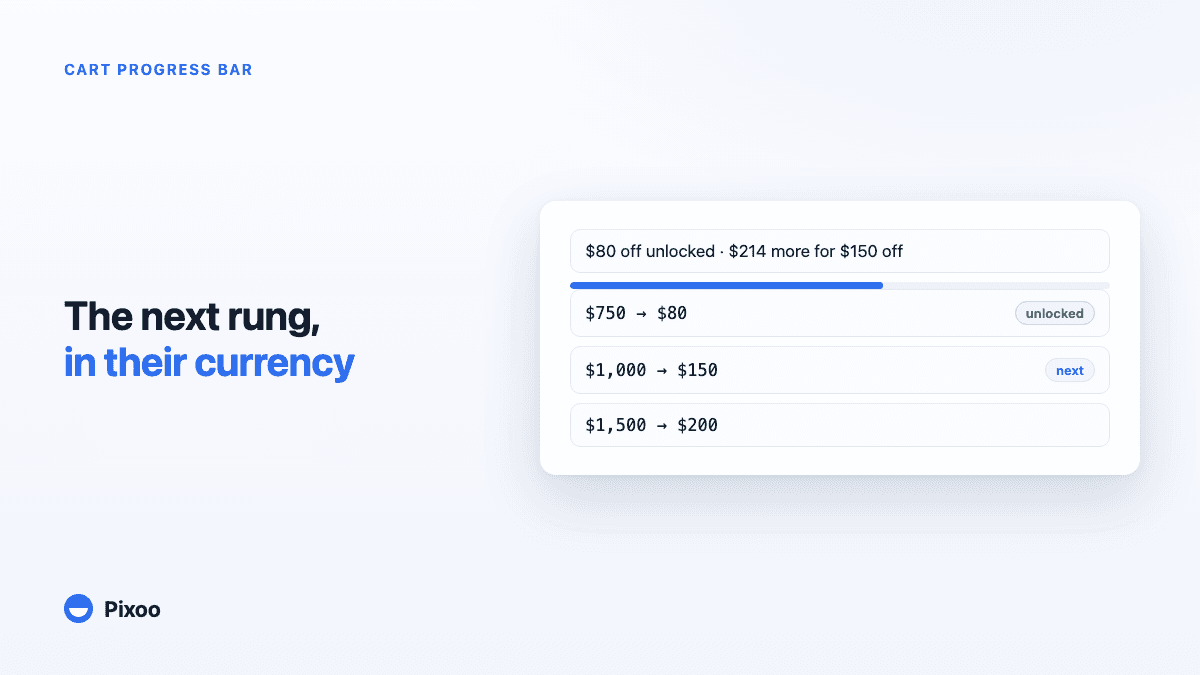
Shopify Cart Progress Bar for Tiered Discounts: Show Shoppers What the Next Rung Unlocks
A "spend 100, get 10 off" discount is invisible in Shopify until the checkout page, so most shoppers never know they were close. Here is how a cart progress bar fixes that for tiered discounts, in every currency, without ever promising a reward the checkout will not give.